NearNeighbours
One tap.
Everyone warned.
NearNeighbours is the emergency app for your neighbourhood: not a social network, no feed – a tool for the moment that counts. One tap is enough, and every member of your private group is warned instantly via push.
The app is currently in store review and will be available for iOS and Android shortly.
- No tracking
- No ads
- EU hosting (Frankfurt)
- No feed
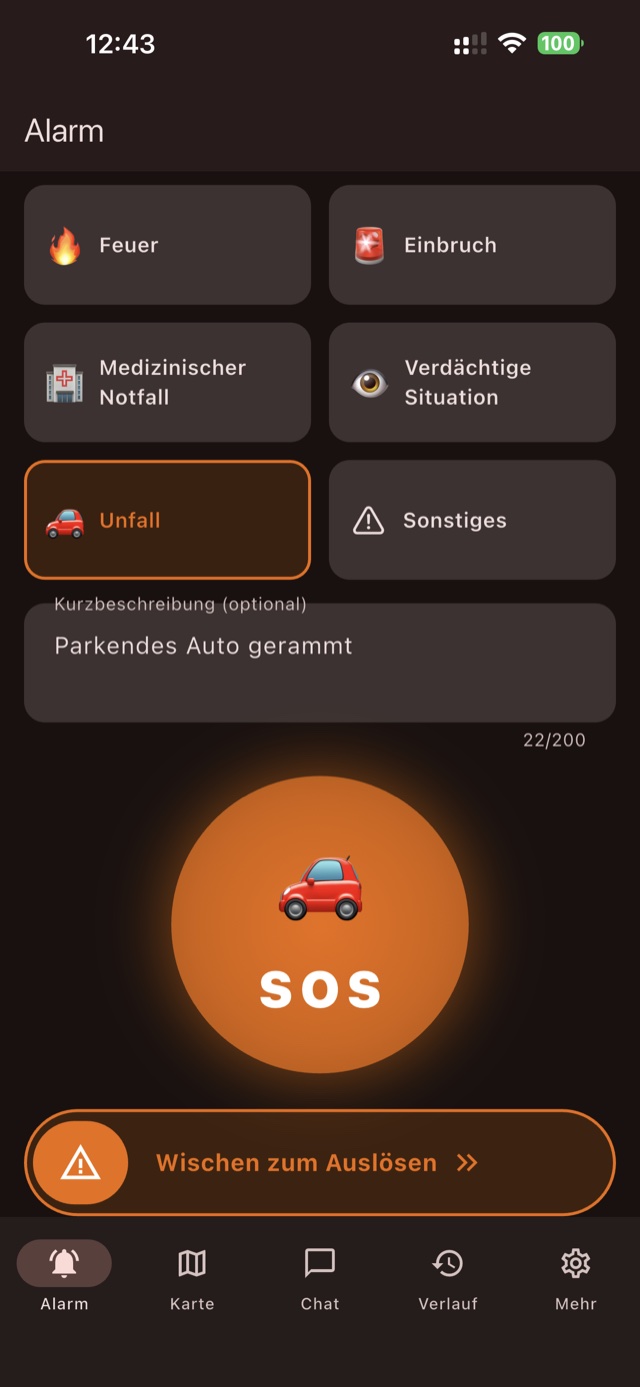
Six alarm types
- Fire
- Break-in
- Medical emergency
- Suspicious situation
- Accident
- Other
How it works
Ready in three steps
No strangers signing up, no public directory: your neighbourhood group is private and can only be joined by invitation.
-
Join a group
Join your neighbourhood's private group with an invite code or QR code – or create one yourself and invite your neighbours.
-
Raise an alarm
If something happens, pick the alarm type, optionally add a short description and trigger it with a swipe gesture – deliberately protected against accidental alarms.
-
Everyone is warned
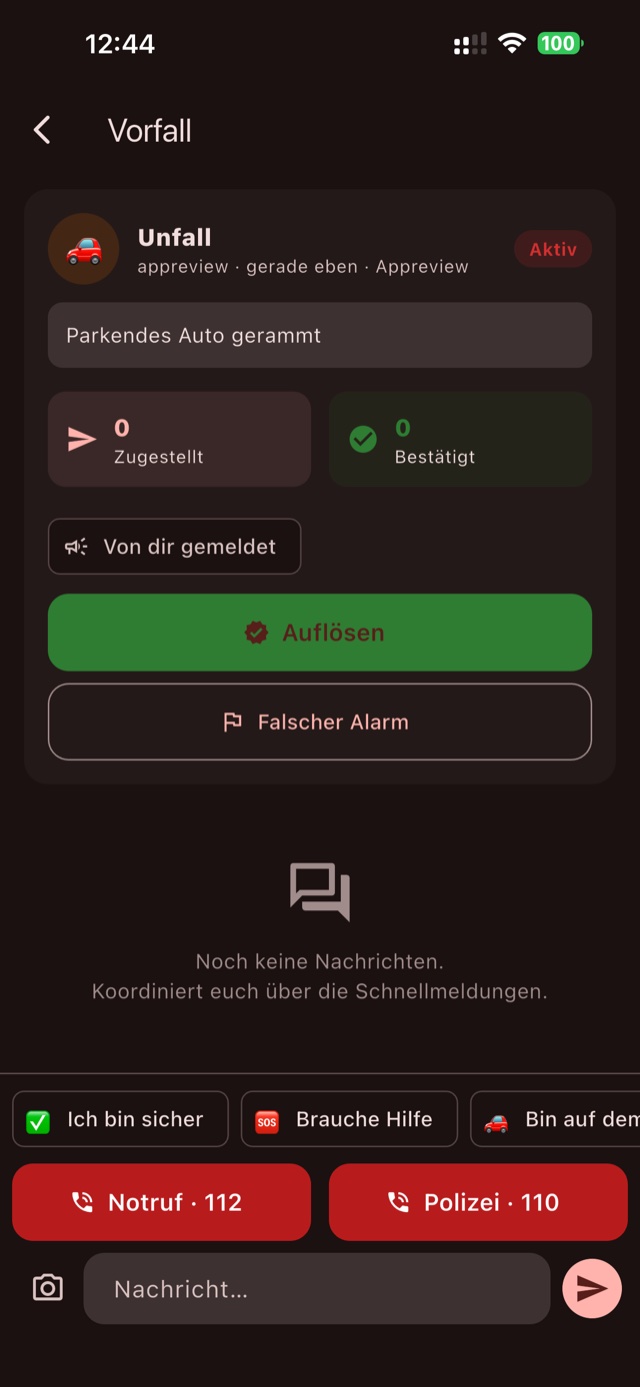
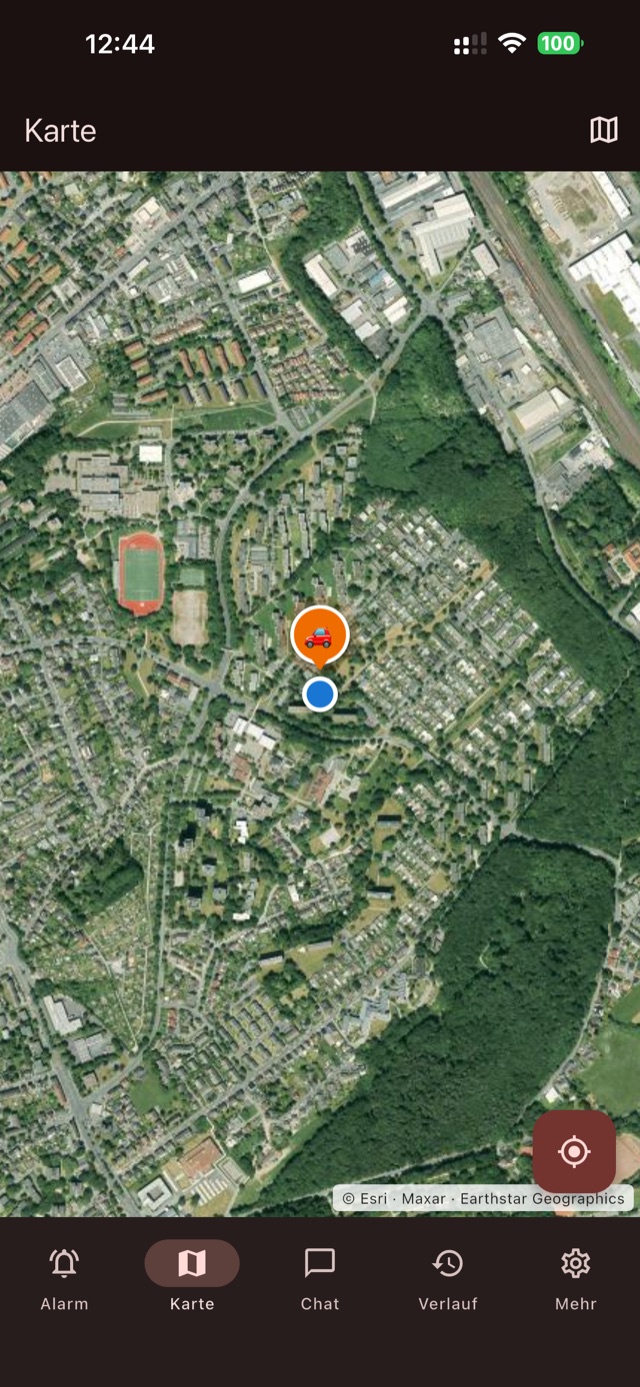
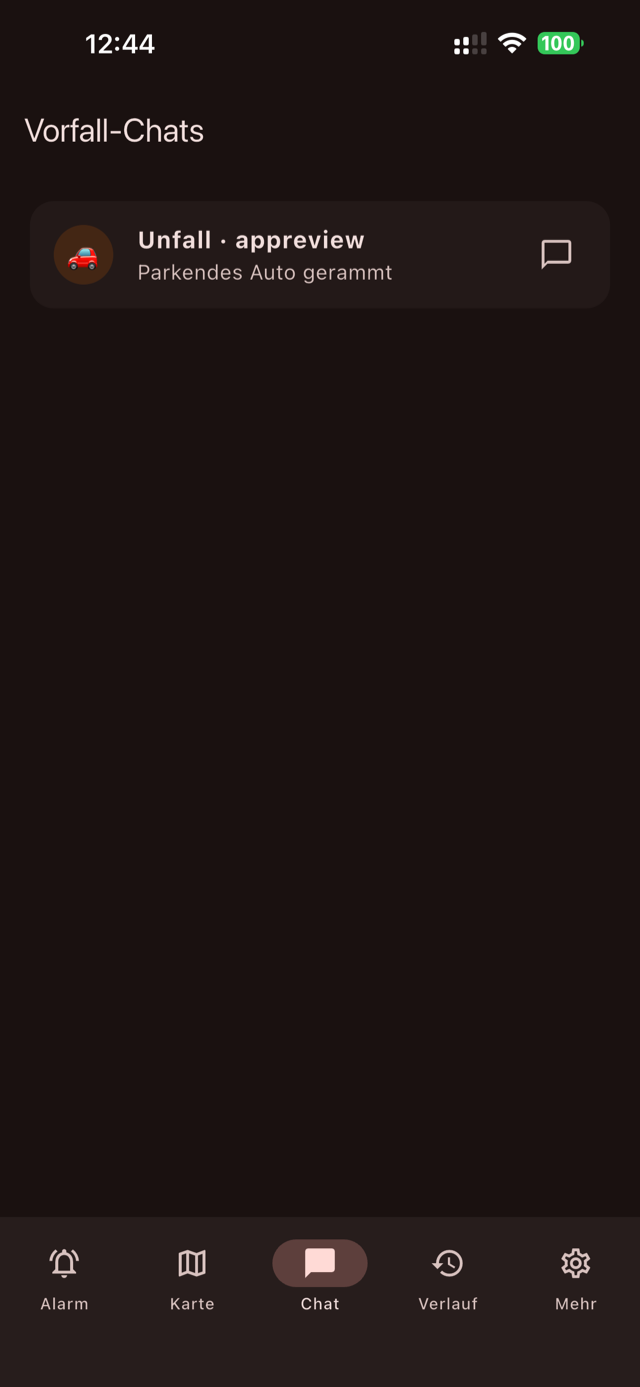
Every member receives a push notification immediately – even when the app is closed. The map shows where it happened, and the incident chat keeps everyone coordinated.
Features
Everything for the emergency – nothing beyond it
NearNeighbours focuses on one job: alerting your neighbourhood quickly and reliably when it matters.
Instant push alerts
One tap reaches every group member in real time. You choose which alarm types may reach you urgently.
Neighbourhood map
Alarms are shown where they happened – on a street map or satellite imagery.
Incident chat with photos
Coordinate right at the alarm – with quick replies like “I'm safe” or “Need help” and photos from the scene.
Confirm & all-clear
Show the others you have seen the alarm. Once the situation is resolved, sound the all-clear – false alarms can be flagged.
History
Every past incident in your group at a glance – easy to review, even if you weren't there.
Group management
Invite neighbours by code or QR, manage members, regenerate the invite code – the group stays under the neighbourhood's control.
Screenshots
The app at a glance
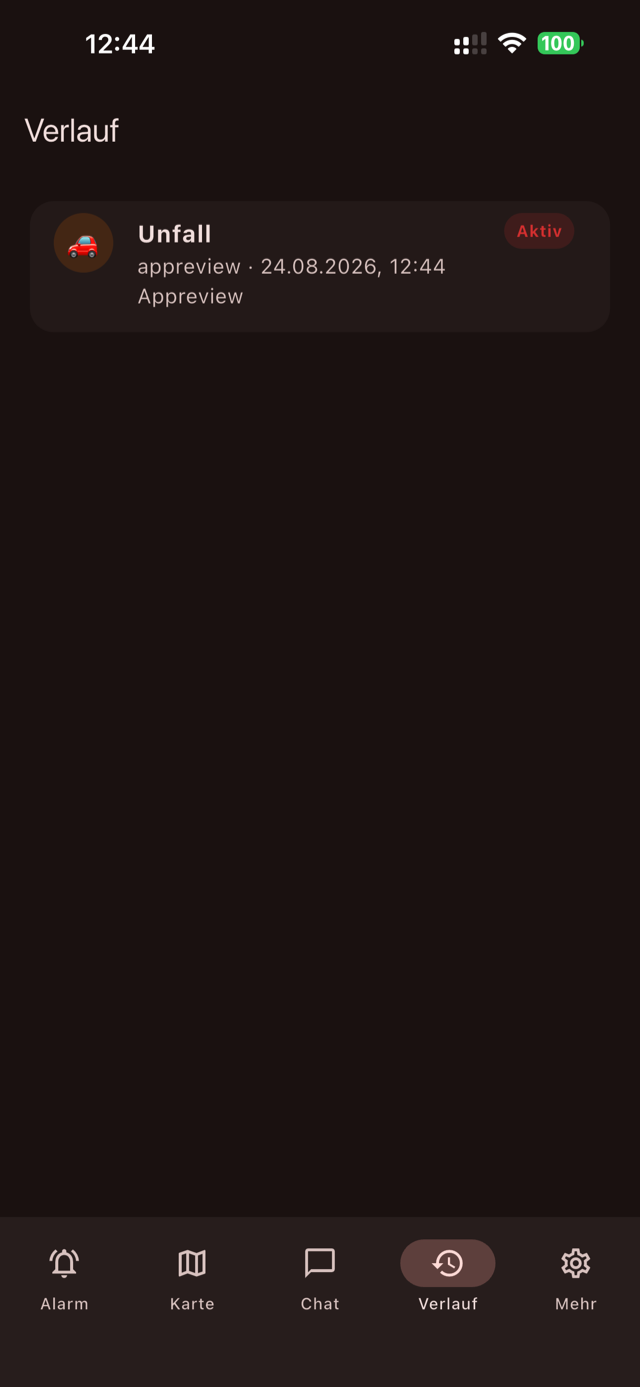
Who it's for
For neighbourhoods that stick together
For buildings, streets and housing estates whose residents want to help each other in an emergency – without giving away their data. The app is available in German, English and Greek.
FAQ
Frequently asked questions
Does NearNeighbours replace emergency services?
No. In a real emergency, always call 112 (or your local emergency number) first. The app alerts your neighbours – not the emergency services.
How do I join a neighbourhood group?
With an invite code or QR code from a group admin. Groups are private – there is no public directory and no open sign-up.
Do I receive alarms when the app is closed?
Yes. Alarms arrive as push notifications – even when the app is closed. You choose which alarm types may reach you urgently.
What happens to my location?
Your location is only stored at the moment you raise an alarm, and only with your permission, so the alarm can be pinned on the neighbourhood map. There is no permanent location log.
Which data does NearNeighbours store – and where?
As little as possible: display name, email address, group memberships, alarms and chat messages. Everything is hosted in the EU (Frankfurt, europe-west1). There is no tracking, no ads and no analytics; chat messages are deleted automatically after 30 days. Details in the privacy policy.
How do I delete my account?
Directly in the app under Settings → Privacy → Delete account & all data – or by email, even after you have uninstalled the app. All options are listed on the account deletion page.
Which languages does NearNeighbours support?
The app is available in German, English and Greek. You can switch the language in the settings.
Questions or feedback?
We're happy to hear from you – about the app, setting up your neighbourhood group, or privacy.